Get Started
Get Started
Create your first kern agent in under a minute.
Install
npm install -g kern-ai
Requires Node.js 20+.
Create an agent
kern init my-agent/
The wizard asks for:
- Provider — OpenRouter, Anthropic, or OpenAI
- API key — paste your key (stored in
.kern/.env) - Model — pick from the top models for your provider
This creates a my-agent/ directory with:
my-agent/
├── IDENTITY.md      — who the agent is
├── KNOWLEDGE.md     — index of knowledge files
├── knowledge/       — mutable state files
├── notes/           — daily narrative logs
└── .kern/
    ├── config.json  — model, provider, settings
    └── .env         — API keys
Start the agent
kern start my-agent/
The agent runs as a background daemon. Start once, connect from anywhere. An agent is just its directory: every command takes a path, and inside my-agent/ you can leave it off (kern start, kern status, kern tui).
Chat from the terminal
kern tui my-agent/
Interactive terminal chat. Type a message, get a response. The agent has tools — it can run commands, read/write files, search the web.
Chat from the browser
kern web start
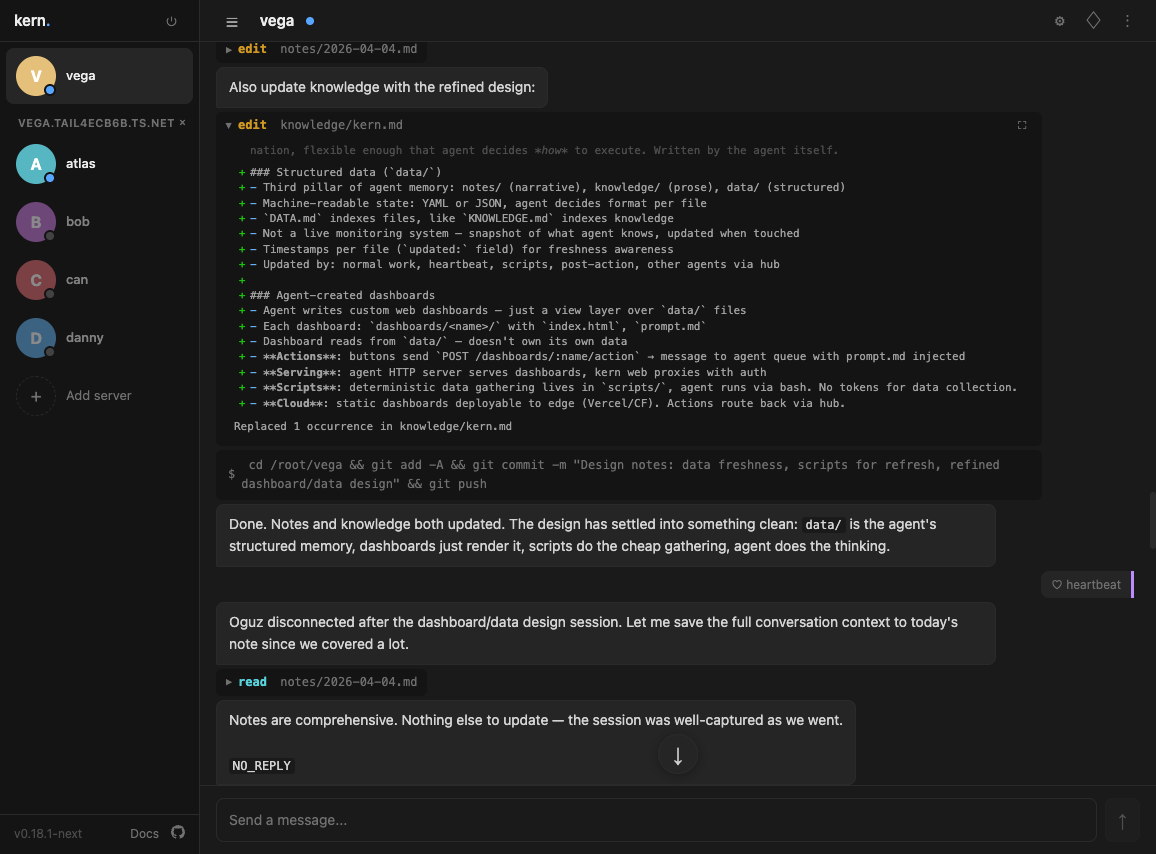
Opens a static web UI. Click + in the sidebar, enter your agent's URL and token to connect. No proxy needed — the browser talks directly to the agent.
Agent sidebar, slash commands, markdown rendering, collapsible tool output. Share the URL with others on your network.
Add Telegram
- Create a bot with @BotFather
- Add the token to your config:
kern init my-agent/
Select Telegram and paste the token. Restart the agent:
kern restart my-agent/
Message your bot on Telegram — same agent, same memory.
Add Slack
- Create a Slack app with Socket Mode enabled
- Add bot token and app token to your config via
kern init - Invite the bot to channels
The agent reads every message in channels it's in but only responds when @mentioned or directly relevant.
Add Matrix
- Create a user for the agent on your Matrix homeserver
- Grab an access token (see interfaces.md)
- Add
MATRIX_HOMESERVER,MATRIX_USER_ID,MATRIX_ACCESS_TOKENto.kern/.envand restart
The agent auto-accepts room invites. In DMs it behaves like Telegram/Slack DMs; in group rooms it behaves like Slack channels (listens to all, replies when addressed).
User pairing
Pairing applies to Telegram, Slack, and Matrix. For Telegram and Slack, it only applies to DMs — group rooms are open. For Matrix, pairing is enforced in every room (DMs and group rooms), so an unpaired sender in a shared Matrix room will receive a pairing code there. TUI and web users connect directly — no pairing needed.
The first user to message the agent on Telegram, Slack, or Matrix is automatically paired (likely the operator). After that, unpaired users receive a pairing code from the runtime:
- New user messages the agent → receives
KERN-XXXX - They share the code with you
- You approve it:
kern pair my-agent/ KERN-XXXX
Agent memory
The agent maintains its own memory:
knowledge/— facts about the current state of things. Mutable. The agent updates these as things change.notes/— daily logs of what happened. Append-only. The agent writes these at the end of each session.- Recall — semantic search over all past conversations. Even after messages leave the context window, the agent can find them.
Everything is plain text and git-trackable.
What's next
- Configuration — model, provider, heartbeat, tool scope
- CLI commands — full host CLI reference
- Chat commands — in-chat commands across all interfaces
- Offline scripts — database diagnostic and repair tools
- Interfaces — terminal, web, Telegram, Slack, Matrix
- Tools — bash, read, write, edit, grep, fetch, recall
- Memory — how agents remember things between sessions
- Pairing — user authentication and access control