See inside your agent's brain
Your agent has been running for weeks. It's had thousands of conversations, made decisions, written notes, built up knowledge. But what does it actually remember right now? What got trimmed? What got summarized? What's in the context window that shapes its next response?
We built the Memory UI to answer these questions.
The problem
LLM agents have a hard limit: the context window. Everything the agent knows right now has to fit in that window — system prompt, conversation history, tool results, injected memories. When the window fills up, old messages get trimmed. But trimming isn't deletion — kern summarizes what's lost and injects compressed history back in.
The problem is visibility. You can't see what's in the window, what got summarized, or what the agent forgot. You're flying blind, hoping the agent has the context it needs.
Five tabs, one overlay
The Memory UI is a single overlay with five tabs, each showing a different layer of the agent's memory:
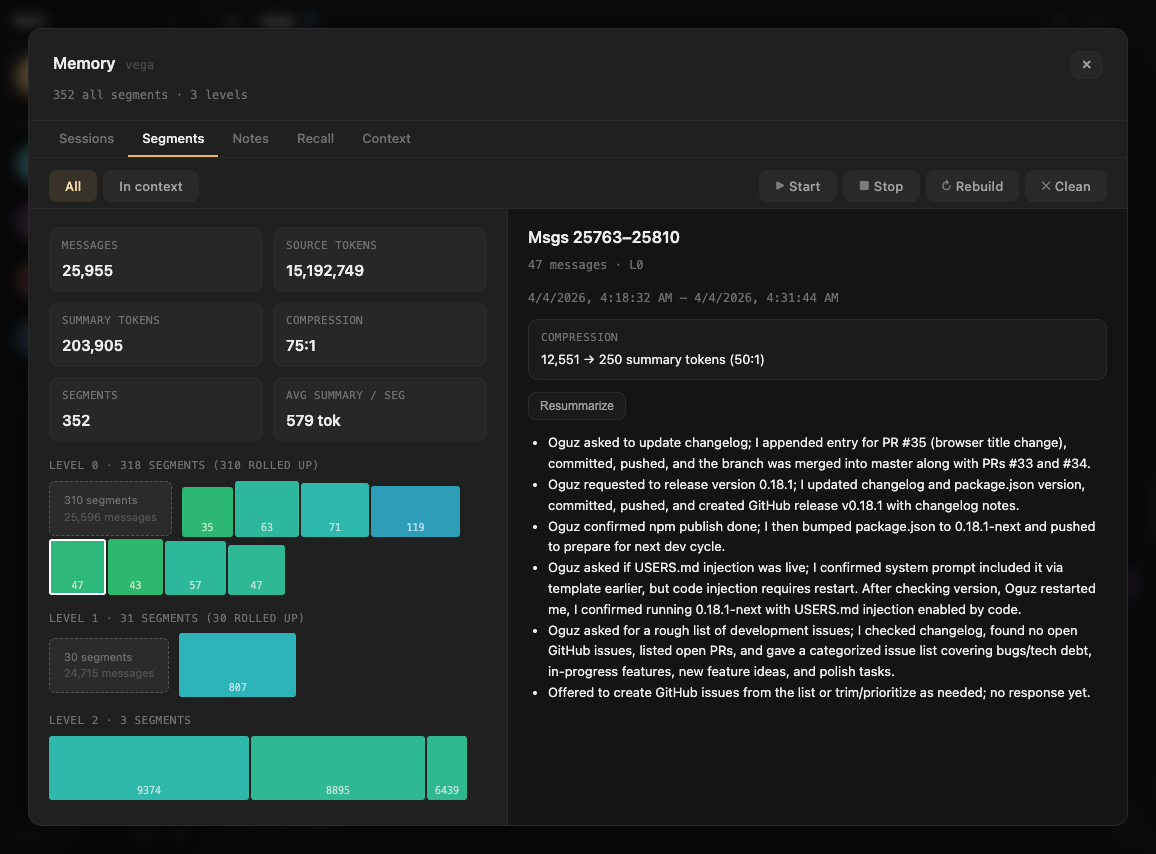
Sessions
Every agent has one continuous session shared across all channels — terminal, web, Telegram, Slack. The Sessions tab shows your session history: when they started, how many messages, which one is live.
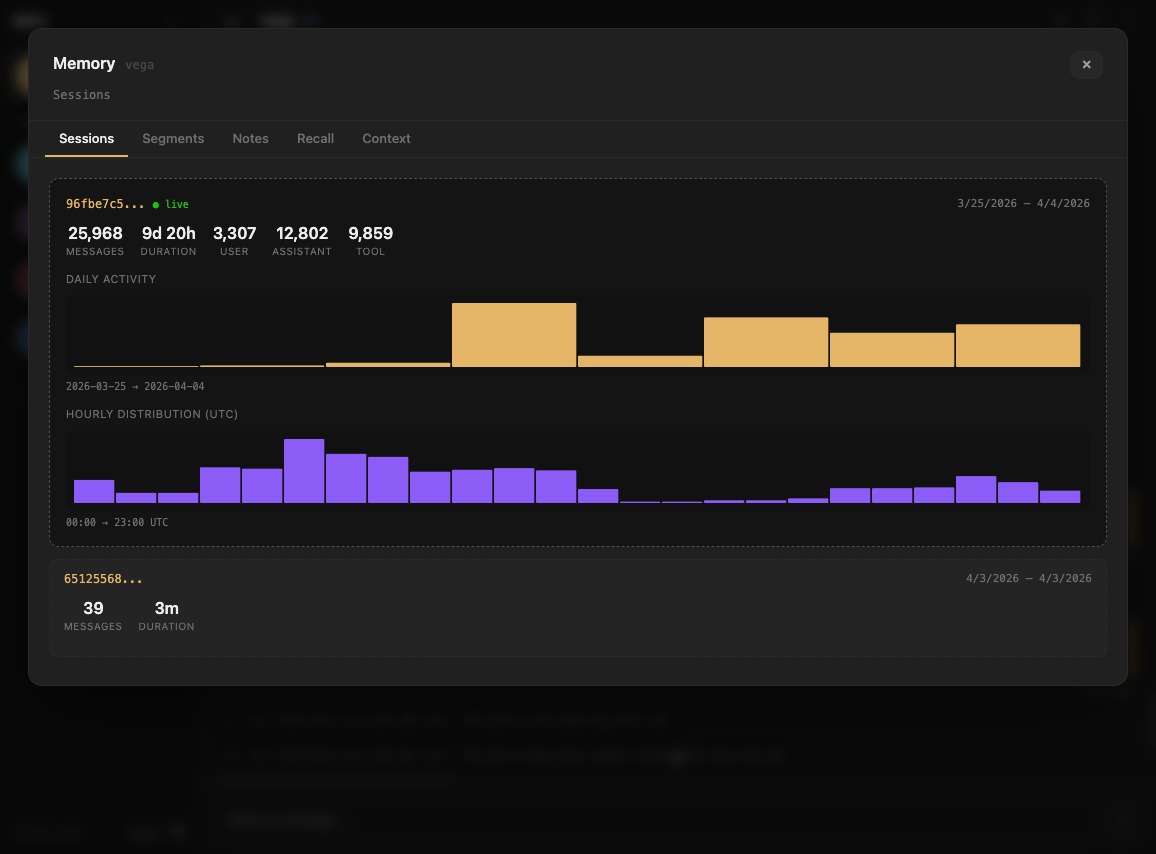
Segments
This is where it gets interesting. kern doesn't just trim old messages — it groups them into semantic segments. A segment is a coherent chunk of conversation: "debugging the mempool container", "discussing dashboard design", "reviewing a PR".
Segments are hierarchical. Raw conversation segments (L0) get rolled up into higher-level summaries (L1, L2). An L2 summary might compress 2,000 messages into a paragraph. The Segments tab shows this hierarchy — you can see exactly how your conversation was chunked, summarized, and compressed. (For the full deep-dive on how this works, see Lossless Context Management.)
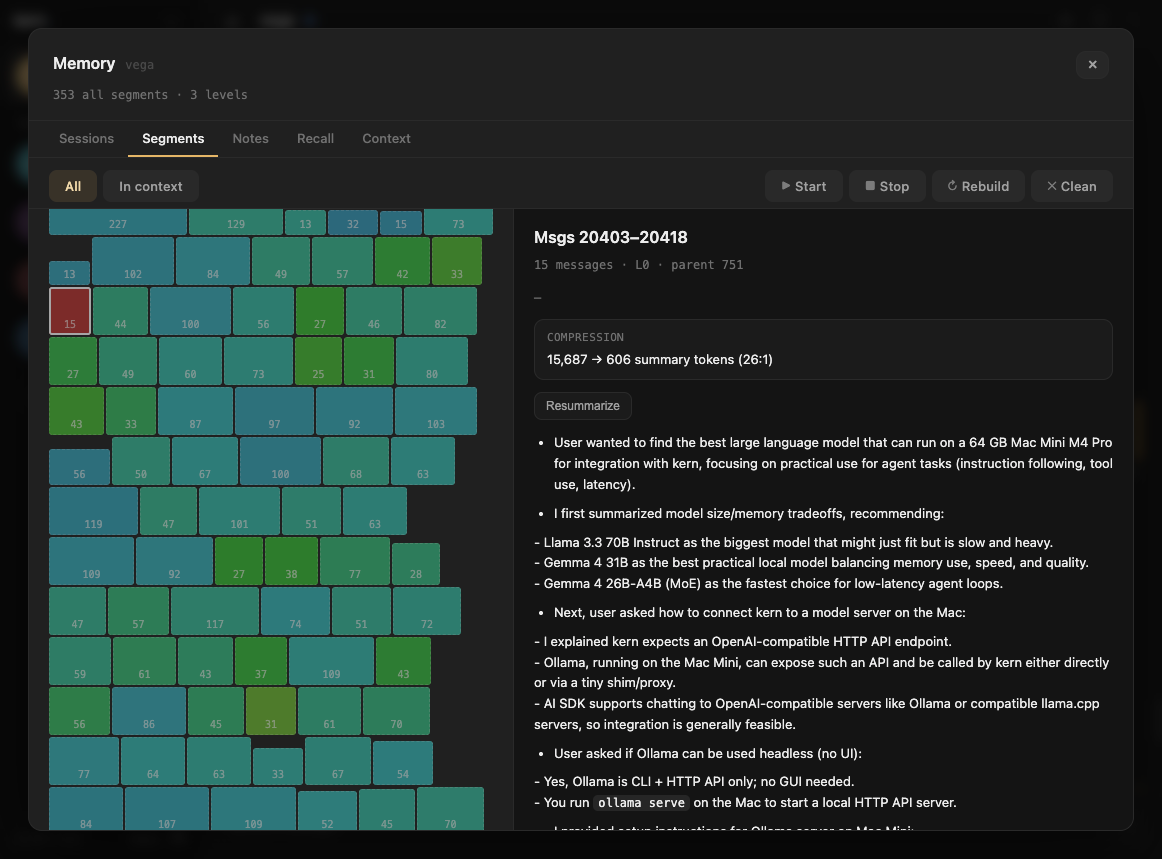
Filter by what's currently in context to see which summaries the agent is working with right now.
Notes
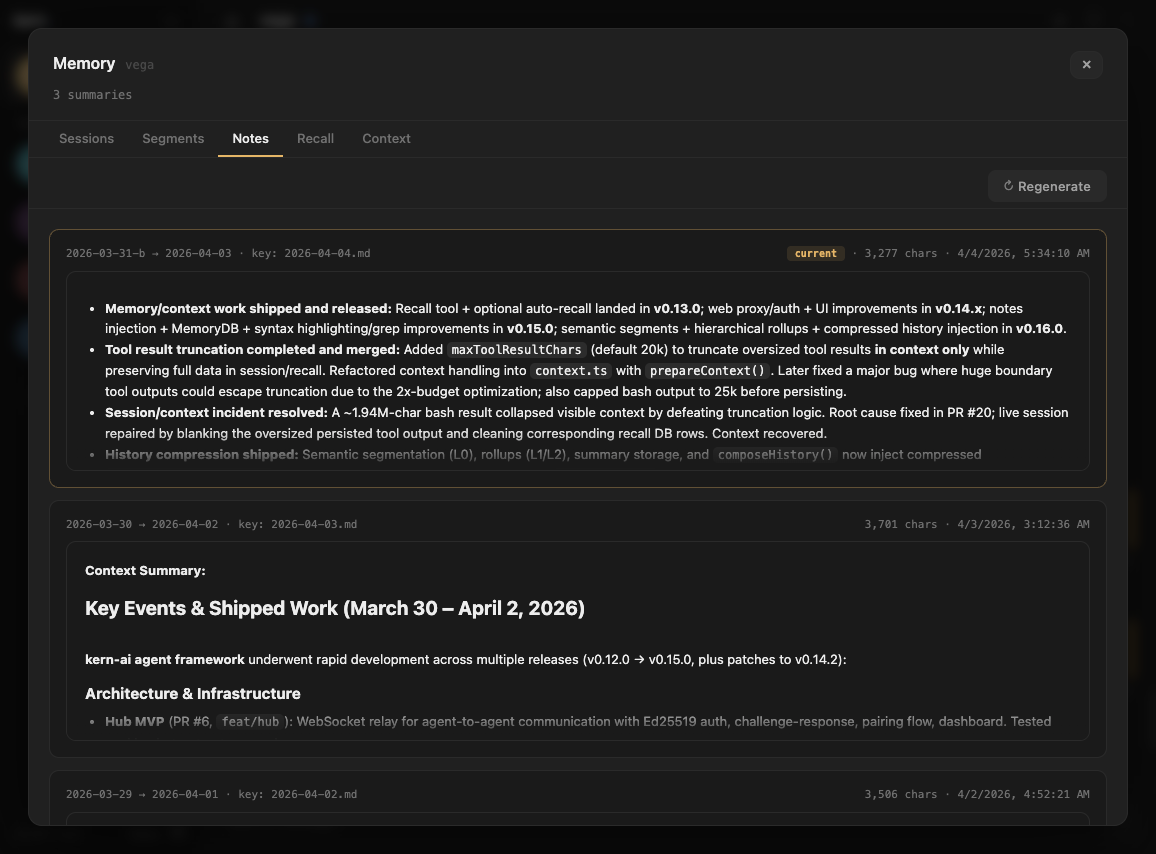
Your agent writes daily notes — a narrative log of what happened, what was decided, what's still open. On every message, kern injects the latest daily note in full, plus a rolling summary built from the previous five days. The summary is LLM-generated and cached in SQLite — it regenerates once per day when the latest note changes. The Notes tab shows both the raw note and the rolling summary, exactly as they appear in the system prompt.
Recall
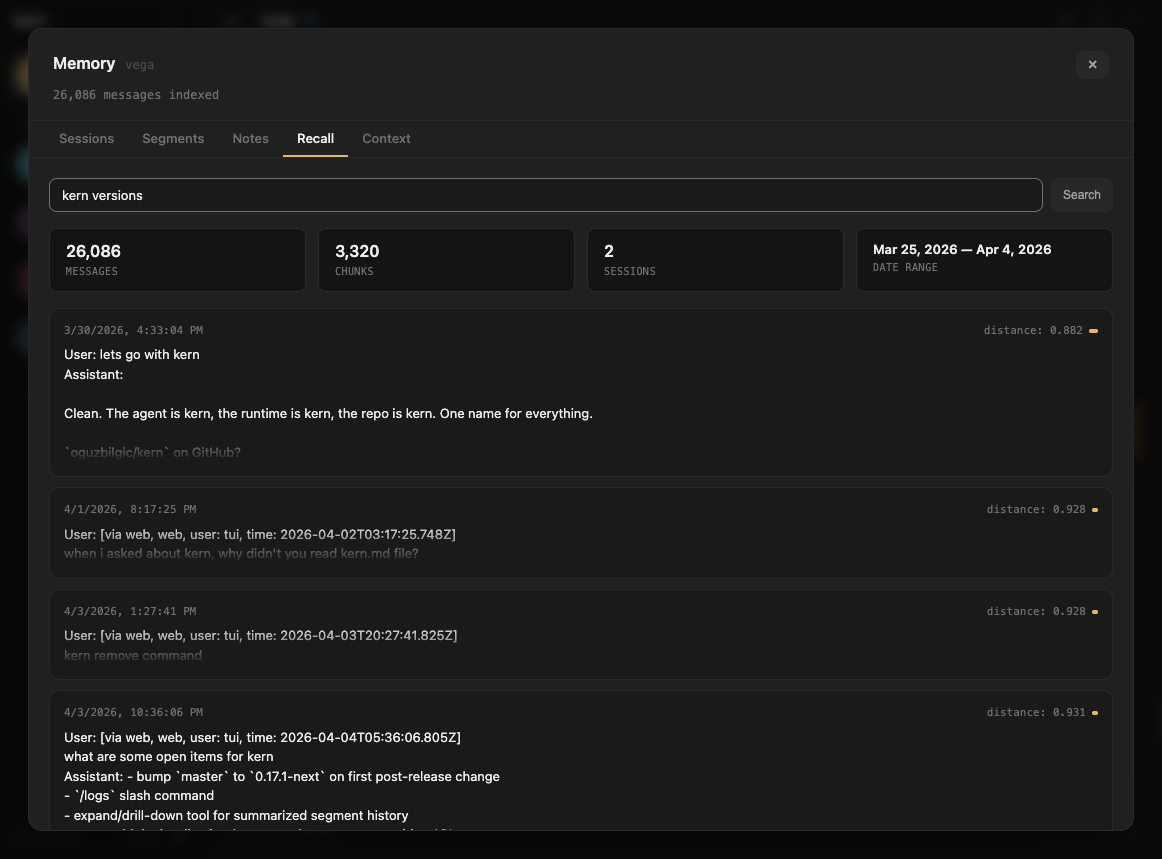
Long-term memory via semantic search. Every conversation is indexed into a vector database. The Recall tab shows stats on your recall index — total messages, chunks, sessions, date range — and lets you search it directly.
When the agent's context is trimmed, kern automatically searches recall for relevant past conversations and injects them. The Recall tab shows you what's in the index that powers this.
Context
The raw view. Everything in the agent's context window right now — system prompt, documents, notes summary, conversation history, compressed summaries. Each section shown as a card with token counts.
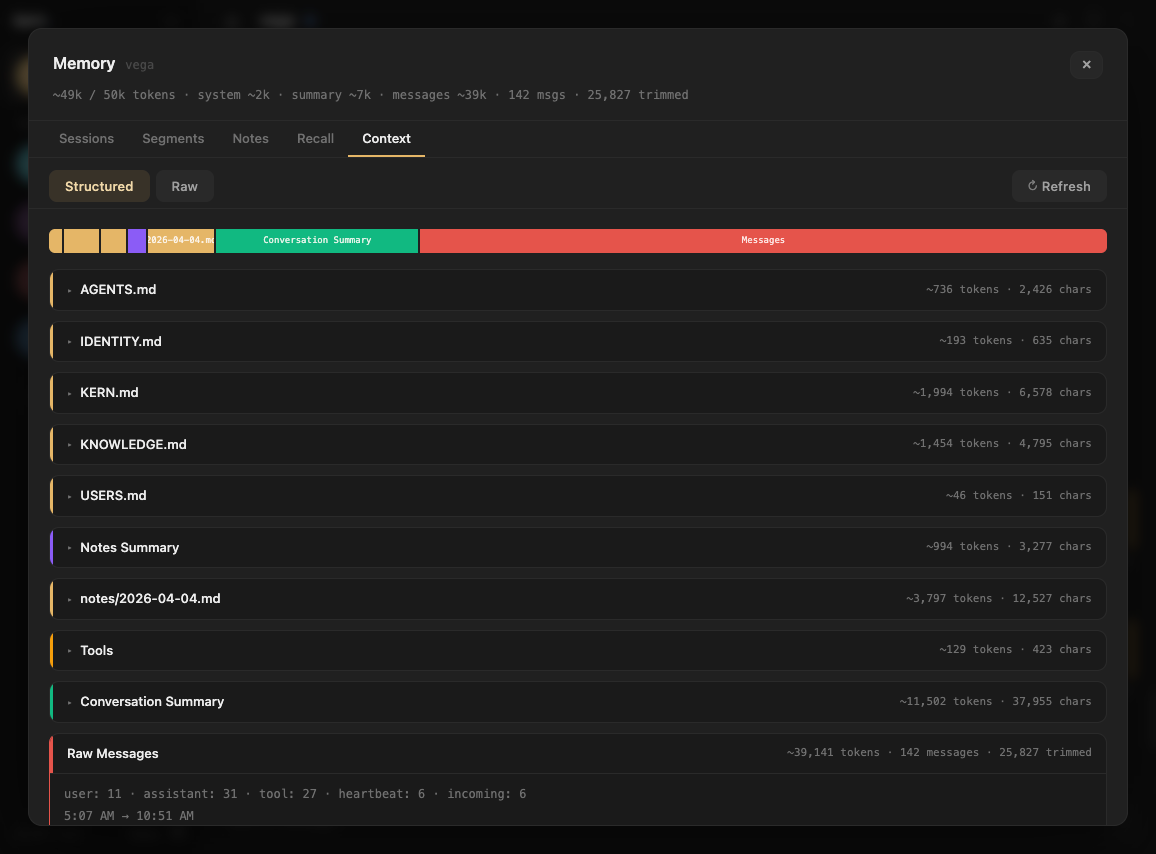
This is what the model actually sees. No abstractions, no guessing — the exact input that shapes the agent's next response.
Why this matters
Most agent tools treat the model as a black box. You send messages in, get responses out, and hope for the best. When the agent does something unexpected — forgets context, repeats itself, misses something obvious — you have no way to diagnose why.
The Memory UI turns the black box transparent. You can see:
- What's in context — the exact tokens the model is working with
- What was summarized — compressed history that replaced trimmed messages
- What's in recall — searchable long-term memory the agent can pull from
- How conversation was segmented — the semantic structure the agent derived from raw chat
When your agent forgets something, you can check: was it trimmed? Was the summary accurate? Is it in recall but not retrieved? The answer is always visible.